 lolPing
League of Legends Pings for Your Desktop
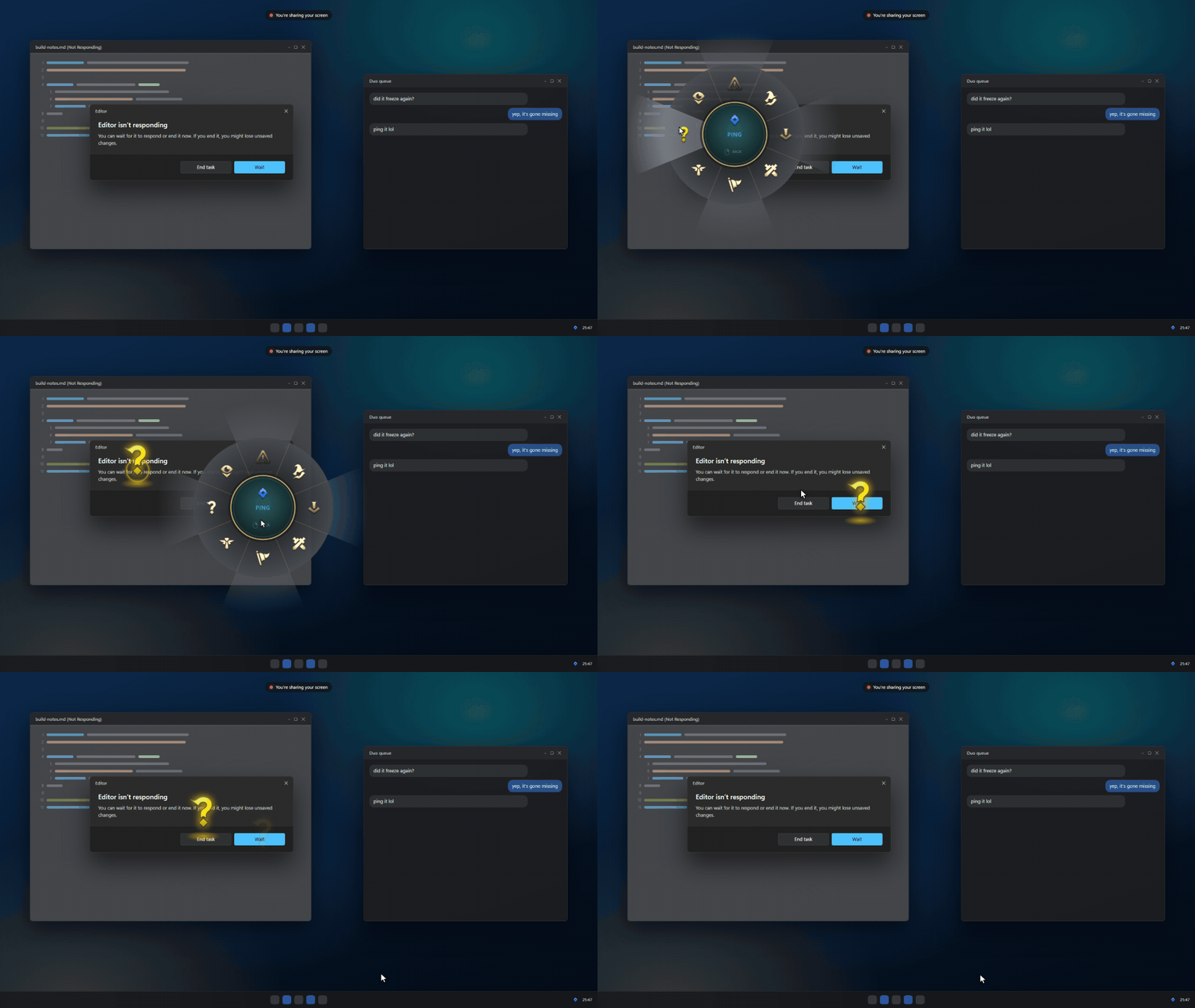
Hold Alt (⌥ Option on a Mac), drag, and let go on a ping. The animation pops and the sound plays on top of any app, on any monitor. Hold Ctrl (⌃ Control on a Mac) and drag for the emote wheel: League's emotes, or your own images. Turn on the AI teammate and ping anything with Win (⌘) to have a model or a coding agent answer at that spot.
See It in Action
Key Features
Universal Pings
Use League of Legends pings anywhere on your desktop. Hold Alt and drag to place pings that appear over any application or game.
Emote Wheel
Access League's emotes or add your own images. Hold Ctrl and drag to open the emote wheel with custom animations and sounds.
AI Teammate
Win + ping to get instant AI assistance. Ask questions, get explanations, or have the AI perform tasks at any screen location.
Multi-Monitor Support
Pings appear on the correct monitor and scale properly. Works seamlessly across multiple displays.
Room System
Join rooms to share pings and emotes with friends. Works between Windows and Mac users with end-to-end encryption.
Stream Friendly
Pings show up in screen captures, making them visible to viewers on Discord or OBS streams.